

CMYK vs RGB: Why Your Print Files Need the Right Colour Mode
The blue in your logo looks electric on a laptop. The green on your phone almost glows. Then the proof arrives and both colours feel quieter. Nothing has necessarily gone wrong: a screen makes colour with light; print makes colour with ink on paper.
RGB and CMYK are not rival settings for the same thing. They describe two different colour systems with different strengths. Understanding the gap helps you judge artwork properly—and stops a bright screen from making promises paper cannot keep.
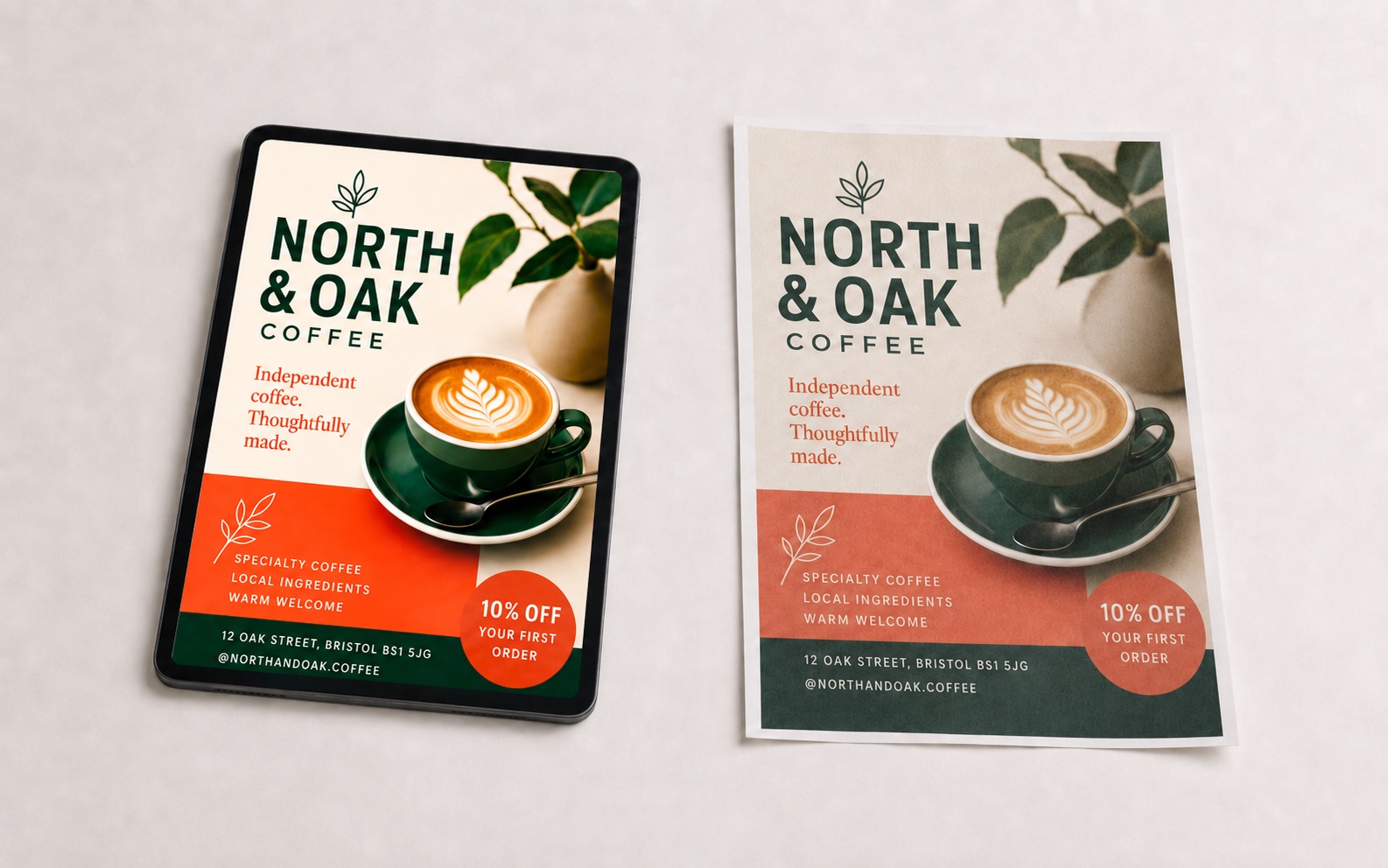
RGB is for screens
RGB stands for red, green and blue. A display combines those three colours of light at different strengths. With all three channels at full power, the result appears white; with no light, it appears black.
That additive system can create intensely saturated blues, greens and pinks because the display is producing light rather than merely reflecting it. RGB is therefore the correct working space for websites, social graphics, presentations and anything intended to remain on a screen.
CMYK is for commercial print
CMYK stands for cyan, magenta, yellow and key—black. These inks absorb parts of the light falling on the paper. What remains is reflected back to your eye. That is a subtractive system, and its reproducible range is smaller than the range of a modern display.
CMYK does not mean “bad colour”. It means colour prepared for a physical process. A thoughtful conversion preserves relationships: the important blue remains recognisably blue, skin tones stay believable and contrast survives even when the most luminous screen colours have to move.
Why bright colours change
Every colour space has a gamut: the colours it can describe or reproduce. Much of the RGB gamut sits outside ordinary CMYK printing. Neon green, electric blue and glowing orange are common casualties because their impact depends on emitted light.
When an RGB file is converted, an out-of-gamut colour must be mapped to something printable. Software can do that automatically, but “automatic” does not mean “visually intelligent”. One blue may become duller; two distinct greens may collapse into nearly the same olive; detail can disappear in dark areas.
The right moment to judge that shift is during design, not after printing. We can adjust hue, contrast and surrounding colours so the printed composition still works—even when an impossible screen colour cannot be reproduced exactly.
CMYK is not one universal result
“Convert it to CMYK” is not a complete production instruction. Different presses, inks and papers reproduce colour differently. Uncoated stock absorbs more ink and usually softens contrast; coated stock holds a sharper dot and can produce a wider-looking range. Newspaper, digital and lithographic workflows each have their own limits.
That is why an ICC profile matters in colour-managed work: it describes a particular output condition. If your chosen printer supplies a profile, template or PDF specification, send it with the brief. Otherwise, we prepare sensible commercial-print artwork and can adapt it to the printer’s stated requirements.
What about brand colours?
A brand colour should have agreed definitions for different uses: an RGB or hexadecimal value for screens, a CMYK build for process print and, where consistency is critical, a named spot colour. Those values are related targets, not mathematically identical recipes.
For an everyday flyer, a carefully chosen CMYK equivalent is often entirely appropriate. For packaging, signage or a national campaign where the same colour must repeat across suppliers and materials, ask the printer whether a spot colour and physical proof are justified. Printvine supplies the artwork; the printer controls the production process, stock and ink.
Black deserves special treatment
Small black text is normally safest as 100% black ink only. Building tiny type from four inks can create coloured fringes if the plates do not align perfectly. Large black backgrounds may use a printer-approved rich-black mixture for greater depth—but the exact build should follow the receiving printer’s specification.
This is a good example of why “it looks black on screen” is not enough. Two objects can appear equally black in RGB while requiring different production recipes in the final artwork.
Should you send RGB or CMYK source files?
Send the best originals you have. High-resolution photographs are often best kept in their original RGB colour space while the design is being assembled, because premature conversion can discard useful colour information. Logos and brand artwork should come from the proper vector master with its intended colour references.
The finished production artwork is where the output requirements must be resolved. Do not improve a weak source by repeatedly saving it, changing a menu setting or exporting it through an online converter. A low-resolution screenshot remains low-resolution in CMYK.
The short version
RGB describes colour made by light. CMYK describes colour reproduced with ink. Screens can show colours ordinary print cannot reproduce, so some movement is normal. Good print design manages that movement deliberately, protects contrast and follows the receiving printer’s production specification.
Printvine is design-only. We prepare professional print-ready artwork for the printer you choose; we do not sell or control the printing. Send us your best source files, brand references and any printer specification, and we will handle the colour setup in the artwork.
See how it works → · Read our artwork guidelines → · Browse what we design →